¥10,490
配送料無料

Control Panel 1

  • ブランド: Unbranded

Control Panel 1

  • ブランド: Unbranded
希望小売価格: ¥17,490
価格: ¥10,490
得する金額: ¥7,000 (40%)
販売元:
¥10,490
配送料無料

在庫あり

以下の支払い方法を利用することができます

説明

Control Panel 1

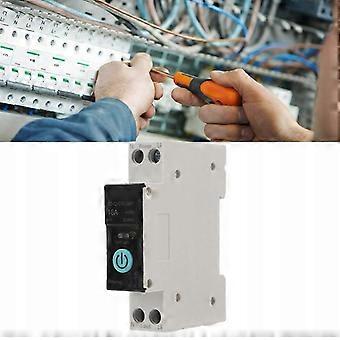
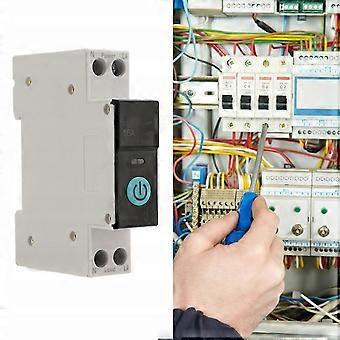
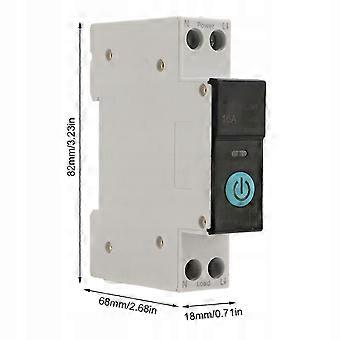
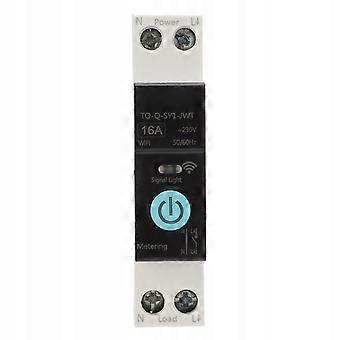
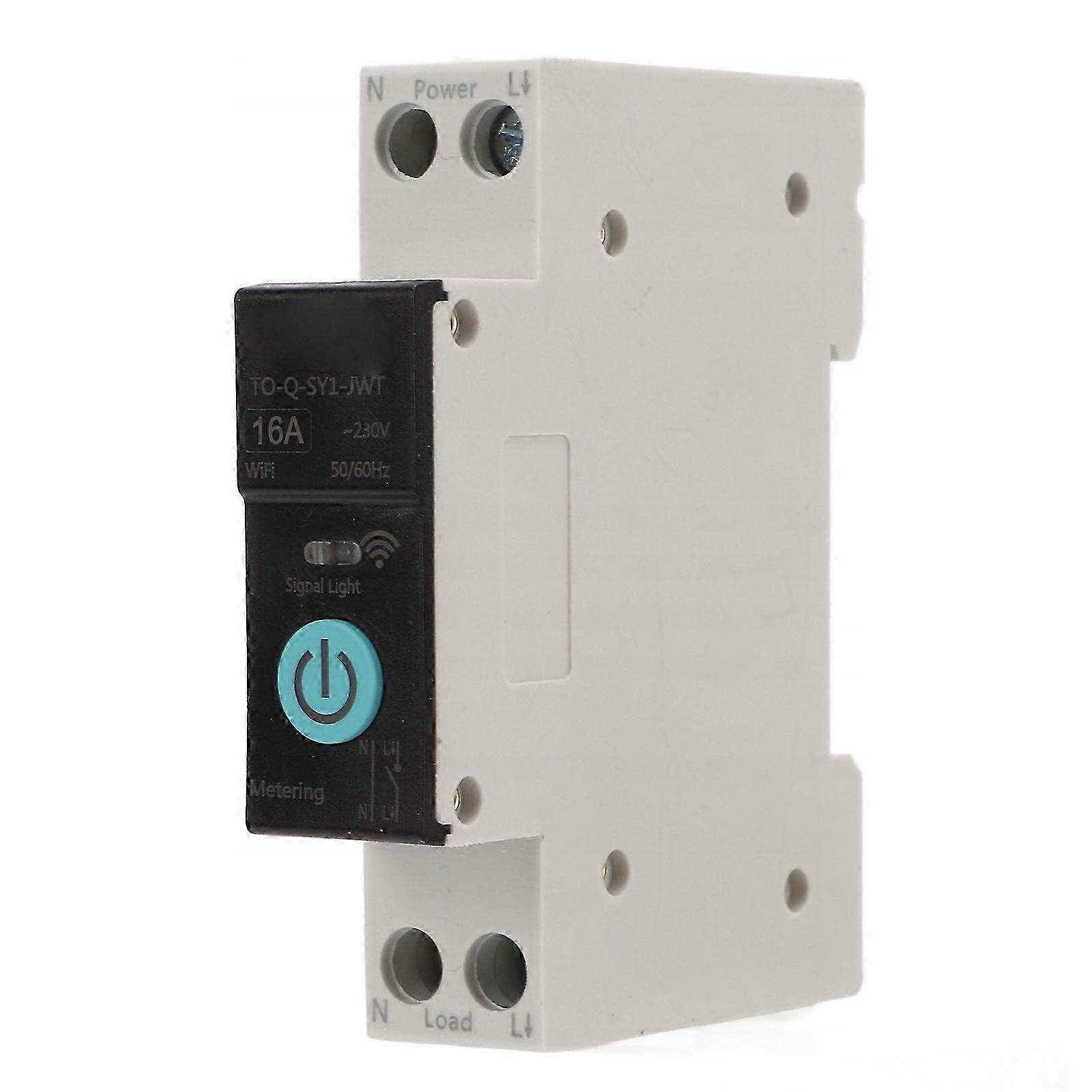
The moisture meter can quickly measure the moisture content of the grain. 1. Multiple functions: set the on or off state of the device in different scenarios and remotely monitor the load status of electrical devices in real time. 2. Smart living at home: You can monitor the use of all household appliances and remotely control and schedule control to make life smarter. 3. 4. Premium material: copper has good conductivity, PA66 flame retardant material, high temperature resistance, effectively improving the safety of use 5. Safe use: Equipped with colored indicator lights, you can check the working status at a glance. Intelligent protection, easy to use, reliable, supports short circuit protection, overload protection, etc. Please allow slight dimension error due to manual measurement. Item Type: Din Rail Installation Switch Material: copper, PA66 Application: Intelligent home control Panel Color: Black Applicable app: for Tuya Smart Rated operating voltage: AC 230 V Control Type: Remote Control, Manual Number of poles: 1P N (pole N through) Control method: for SigMesh or for ZigBee Rail: DIN35 Size: approx. 82x68x18mm or 3,23x2,68x0,71 inch List of packages: 1 xDin rail circuit breaker Description of lighting: 1. The LED indicator lights up with a continuous blue light, indicating that the switch is on. 2. The LED is off, which means that the switch is in a off state or in a networkless mode. (In off-grid mode, the manual switch does not have a status indicator, please pay attention to the safety of operation.) 3. The LED indicator flashes slowly blue, indicating that the product is in pairing mode. Steps: 1. Connect the wire from the top end of the circuit breaker to the bottom end, make sure the wiring is correct and the WiFi signal is strong. 2. Turn on Bluetooth and WiFi on your phone, open the app, then press and hold the power button, wait about 5-10 seconds, the LED indicator will start flashing blue slowly. 3. After a while of waiting, a pop-up window will appear, click the sign in the upper right corner, then select the Add Device button and wait for the device to be recognized. 4. Enter your Wi-Fi account password and click Next and wait for your network connection. 5. Connect to the network.
  • Fruugo ID: 443114959-930250567
  • EAN: 9074782801996

配送と返品

2日間以内に発送

  • STANDARD: 無料 - 間の配達 水 17 12月 2025–水 24 12月 2025 - 無料

中国より発送。

ご注文の商品は、お客様の仕様に従い、万全の状態で配送されるように最善を尽くしています。しかし、もし注文に抜けがあったり、注文したものと違う商品が届いたり、注文に満足できないその他の理由がある場合は、注文全体やその中のいずれかの商品を返品し、その全額の返金を受けることができます。 全額返金ポリシーを見る

製品コンプライアンスの詳細

以下に概説されているこの製品に固有のコンプライアンス情報を参照してください。

以下の情報は、この製品を販売する独立したサードパーティ小売業者によって提供されています。

製造業者:
次の情報は、Fruugoで販売される関連製品の製造業者の連絡先詳細です。

  • Aevon Atelier
  • Guangxi Lanyi Environmental Protection Technology Co., LTD
  • No. 303-2, 3rd Floor, Block C, Building 1, Anji Wall Street Industrial Valley, No. 189, Fazhan Avenue, Xixiangtang District, Nanning City
  • Nanning
  • CN
  • 530006
  • sidnknksnk@163.com
  • 13607862276

EUにおける責任者:
次の情報は、EUにおける責任者の連絡先情報の概要です。ここで言う責任者とはEUに拠点を置く指定経済事業者で、EU域内で販売される関連製品に関するコンプライアンス義務を負う者のことです。

  • Jean Luc
  • In Memoria Futuri SAS
  • 3 RUE DU PAS DE LA MULE 75004 PARIS
  • Paris
  • France
  • 75004
  • infoapexchen@gmail.com
  • 33745713901