説明
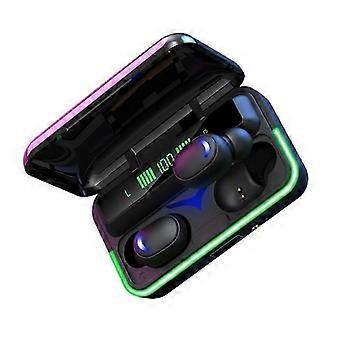
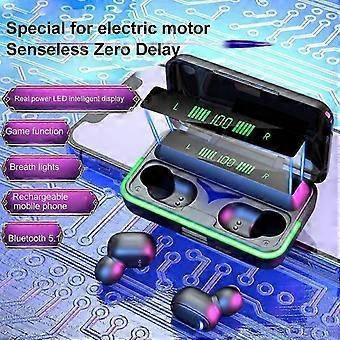
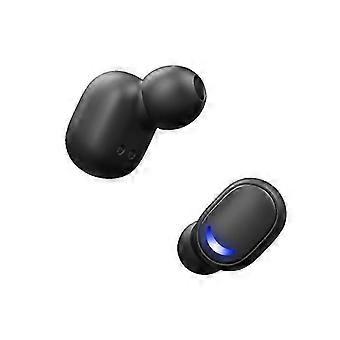
Wireless TWS Bluetooth Earbuds - In-Ear Pods Compatible with All Devices for Clear Sound
Description:Product specificationProduct modelE 10version V5.1Battery specificationearphone 3.7vChargingbin3.7vSupportedmodeHFP/HSP/A2DP/AVRCPSensitivity105dB3dBS.P.Lat1KHzSignal distance10m(inan ideal environment without any largeobstacles )Playing timeabout 2.5 hoursTalktimeapproximately 3 hoursStandbytimeabout 80 hoursCharging timecharge the charging war c house for about 1.5 hoursand charge the headset for about l hourCharging times for the headsetabout 15 timesSpecifications:Functional instructions1.BootTake the heads ct out of the charging bin and start it automaticallyor long press the left and right multi - function button of the headsetfor 3seconds.2. ShutdownPut the headset into the charging bin and turnoff automatically .3.Boot backWhen the pairing is successful the bluetooth headset will firstenter the state of reconnect when the second time is started andautomatically reconnect the connected phone .4.Play/pauseIn standby state click the left or right earphone multifunctionbutton to play music directly while click the left or right earphonemultifunction button to pause playing .5. Switch songsPress the left earphone muti_function button for 2 seconds to playmusic and then press the right earphone muti_function button for2secondstoplaymusic6. Volume up and downDouble - click the left earphone multifunction button to increasethe volumes tepbystepanddouble- click the right earphonemultifunction button to decrease the volume step by step7. Answer incoming callsWhen the mobile phonecalls click the left or right earphonemultifunction button can answer the phone8.CallhangupWhen talking on the mobilephone youcanhangup the phone byclicking the left or right earphone multifunction button9.Callr electionWhen the phonecalls long press the left and right earphonemultifunction button for 2 seconds to reject the call10.RedialWhen you are on standby or playing music you can make thelast call in your phone record by three clicks of the left earphonemultifunction button .11. Start voice assistantThree click son the right earphone multifunction button canactivate apple 'sSirior Google voice assistant for voice controlof the phone operation .12.Low battery alertWhen the battery of bluetooth headset islow play the warningsound of low battery at an interval of 30 seconds until the headsetis low battery and turns ofPackage Included:1*charging cable1*charging compartment2*headphone1*User manual
-
Fruugo ID:
417148809-880224996
-
EAN:
9143578508712
製品安全情報
以下に概説するこの製品に固有の製品安全性情報を参照してください。
以下の情報は、この製品を販売する独立したサードパーティ小売業者によって提供されています。
製品安全ラベル

安全上の警告:
WARNING: TO AVOID DANGER OF SUFFOCATION, KEEP THIS PLASTIC BAG AWAY FROM BABIES AND CHILDREN.
配送と返品
ご注文の商品は、お客様の仕様に従い、万全の状態で配送されるように最善を尽くしています。しかし、もし注文に抜けがあったり、注文したものと違う商品が届いたり、注文に満足できないその他の理由がある場合は、注文全体やその中のいずれかの商品を返品し、その全額の返金を受けることができます。 全額返金ポリシーを見る
製品コンプライアンスの詳細
以下に概説されているこの製品に固有のコンプライアンス情報を参照してください。
以下の情報は、この製品を販売する独立したサードパーティ小売業者によって提供されています。
製造業者:
次の情報は、Fruugoで販売される関連製品の製造業者の連絡先詳細です。
- CREA
- CREA
- 1-3 Boulevard Charles de Gaulle Colombes 92700 FR
- Colombes
- FR
- 92700
- xmchymx@outlook.com
- 86-13312976782
- https://www.fruugo.co.uk/lanxi-julong-electronic-commerce/m-14881
EUにおける責任者:
次の情報は、EUにおける責任者の連絡先情報の概要です。ここで言う責任者とはEUに拠点を置く指定経済事業者で、EU域内で販売される関連製品に関するコンプライアンス義務を負う者のことです。
- E-CrossStu GmbH
- E-CrossStu GmbH
- Mainzer Landstr.69,60329 Frankfurt am Main,Hessen, Deutschland
- Frankfurt am Main
- DE
- 60329
- E-CrossStu@web.de
- +4969332967674
- https://www.fruugo.co.uk/lanxi-julong-electronic-commerce/m-14881