説明
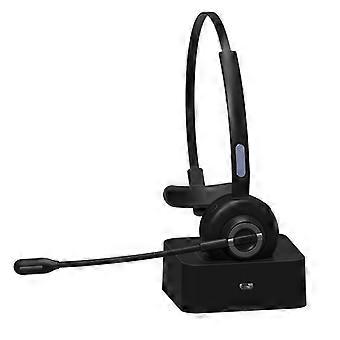
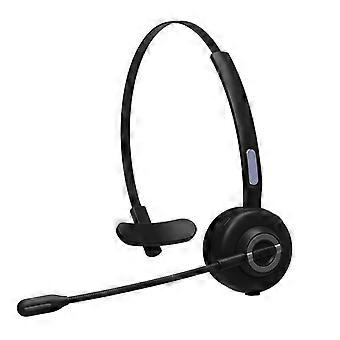
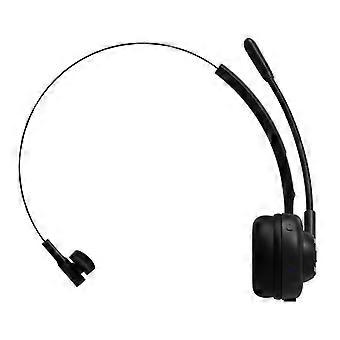
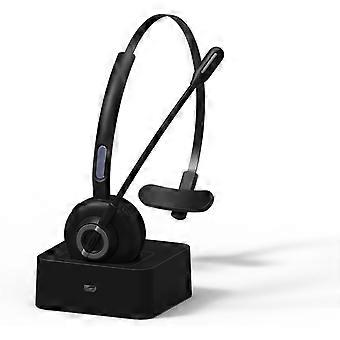
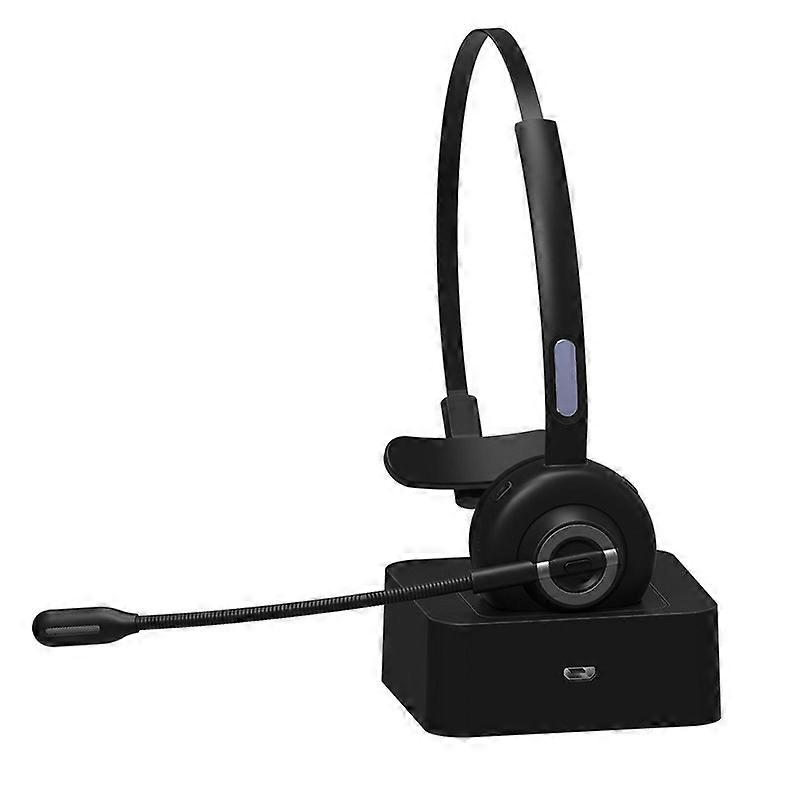
(New) M97 Bluetooth 5.0 Headset Mono Bluetooth Earphone With Charging Base
M97 Bluetooth 5.0 Headset Mono Bluetooth Earphone With Charging Base
Product parameters:
1. Bluetooth version: V5.0
2. Bluetooth chip: CSRA8615
3. Communication distance: 10 meters
4. Bluetooth protocol: HSP, HFP, AVRCP, A2DP
5. Decoding method: SBC
6. Built-in battery: 180mAh3.7V
7. Charging time: about 2 hours
8. Standby time: 200 hours
9. Working time: about 17 hours (50% volume)
10. Earphone net weight: about 51 grams
11. Net weight of charging base: about 242 grams
12. Headphone size: 163.21x142.27x48.5mm
13. Charging base size: 79x73x31mm
Operation method:
1. In the off state, press and hold the multi-function button for 1-3 seconds (when there is a pairing record, it will enter the reconnecting state, if there is no pairing record, it will automatically enter the pairing state)
2. In the power-on state, long press the multi-function button for 5 seconds
3. In the shutdown state, press and hold the multi-function button for 5-8 seconds or double-click the multi-function button in the disconnected standby state
4. When playing music, short press the multi-function button to pauseplay the music
5. Double-click the multi-function button to redial the last phone number called
6. When there is a pairing record, turn on the device and enter the reconnect state or short press the multi-function button in the pairing state to try reconnect
7. Press and hold the multi-function button for 1 second and let go to activate the voice dialing function of the phone
8. During a call, press and hold the multi-function button for 1 second and then let go to switch the audio between the phone and the headset
9. When a call comes in, short press the multi-function button to answer the call
10. During a call, short press the multi-function button to hang up
11. When a call comes in, long press the multi-function button for 1 second to reject the call
12. During musiccall, short press the volume up button, the volume will increase
13. In the music, long press the volume plus button for 1 second, it will switch to the next song
14. During musiccall, short press the volume down button, the volume will decrease
15. In the music, long press the volume down button for 1 second, it will switch to the previous song
Bluetooth pairing and connection
1. Long press the BH-M97 multifunction button for 5-8 seconds to enter the pairing mode, red and blue flashing alternately
2. Turn on the bluetooth of the mobile phone and click search. When "BH-M97" appears, click the pairing connection. After the connection is successful, the LED turns to blue light flashing slowly, and the mobile phone displays "BH-M97" connected. At this time, you can listen through the Bluetooth headset Music or phone
3. The multi-function button, volume up button, volume down button on the Bluetooth headset can control the answering, hanging up and music playpause, up and down music, volume up and down, etc.
One for two usage
1. Connect the first mobile phone as above, then turn off the Bluetooth function of the first mobile phone
2. Put the BH-M97 in the pairing mode again ------ when not connected to the standby state, double-click the multi-function button to enter the pairing mode, the indicator light changes to red and blue lights alternately
3. Turn on the Bluetooth of the second mobile phone and click search. When "BH-M97" appears, click to connect. After the connection is successful, the indicator light turns to blue and flashes slowly
4. Re-open the Bluetooth of the first mobile phone and find the pairing record of "BH-M97", click to connect, it will show that the connection is successful, and the one for two function will be realized
5. Note: Only one mobile phone’s music can be played when one drags two. When you want to play the music of another mobile phone, you need to pause or close the music of the previous mobile phone first. The same is true for calls.
Status indicator status:
1. Power on: blue light on for 1 second
2. Shut down: red light on for 1 second
3. Pairing status: red and blue lights flash alternately
4. Disconnected standby state: the blue light flashes once every 2 seconds
5. Connected standby state: the blue light flashes once every 5 seconds
6. Music status: blue light flashes once every 5 seconds
7. Call status: blue light flashes once every 5 seconds
8. Clear pairing records: red and blue lights flash once at the same time
9. Charging: the red light is always on
10. Fully charged: the blue light is always on
11. Low battery: red light flashes
-
Fruugo ID:
365703605-792423243
製品安全情報
以下に概説するこの製品に固有の製品安全性情報を参照してください。
以下の情報は、この製品を販売する独立したサードパーティ小売業者によって提供されています。
製品安全ラベル

安全上の警告:
Check the product before use,Keep away from water,fire and extreme temperatures,to ensure safe.
メーカー型番:
6922832562978
モデル番号:
TBD05532726
シリアルナンバー:
6922832562978
バッチ番号:
6922832562978