商品詳細
6 Digit Code Combination Lock, Convenient Cam Password Security Cabinet Lock (with Key)-Macaron
Quantity: One Piece (Product does not include batteries)
Color: White
Product Size: As picture shows
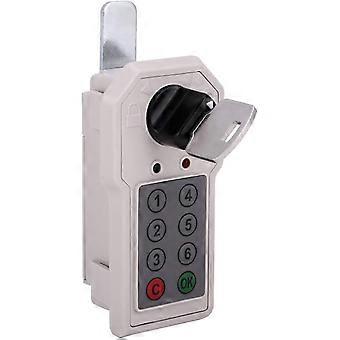
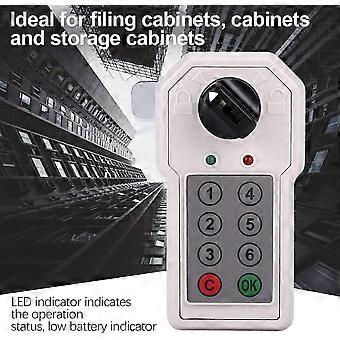
This code lock is suitable for filing cabinets, wardrobes, and lockers, etc.
Easy installation without screws. The LED indicator shows the working status and low battery indication.
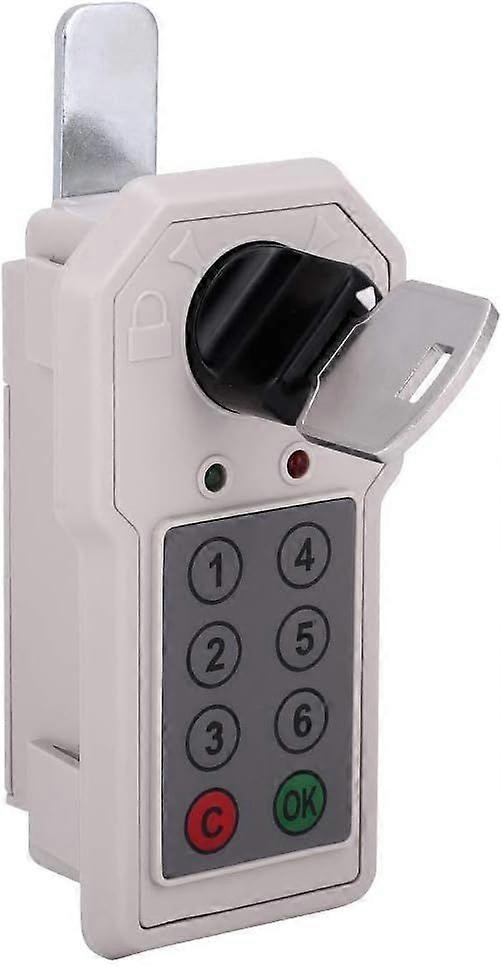
The lock shell is made of ABS material, which is sturdy and durable. The cam can be rotated clockwise.
1. Install the battery:
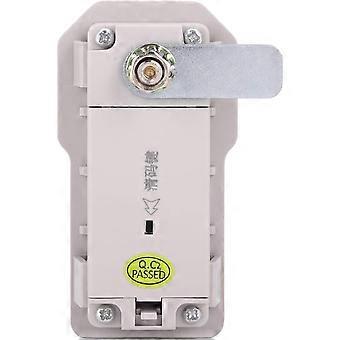
When using for the first time, please use the key to unlock the lock. After inserting the key, rotate it 90 degrees clockwise to unlock it; after unlocking, please install 2 AA batteries (alkaline batteries are recommended) in the battery compartment on the back of the lock body, and then lock the cabinet. Remove the key and keep it in a safe place.
2. Set a password (the user password is the same as the management password)
Factory password: the user password is "1"; The management password is "6"
The password consists of 1 to 12 digits, which can be stored for a long time when the power is off.
Setting the password for the first time: Press the 1 key (note: 1 is the factory password) → press the C key → enter a new password (for example: 123456) → press the OK key, the new password will take effect after hearing a long beep (di~).
How to change the password: Enter the old password → press the C key → enter the new password → press the OK key → the new password takes effect
3. Unlock: After entering the password, press the OK key and turn the knob to unlock
Enter the set password on the keyboard. Each time you press a key, there will be a sound and light prompt, indicating that the entry is valid. Press the OK key after entering. If the password is correct, the green indicator lights up and a long beep (di~) sounds. At this time, you can turn the knob clockwise to unlock. If the knob is not turned during opening, the combination lock will reset and lock automatically. If the password is incorrect, there will be a double-tone prompt (di-di), indicating that the entry is incorrect, please re-enter the correct password.
4. Lock:
Turn the knob counterclockwise to the locked position to lock.
5. Automatic Alarm:
If the password is entered incorrectly four times in a row, the password lock will trigger an alarm. The alarm will last for 60 seconds. During this period, enter the correct password and press the OK button to cancel the alarm. This feature prevents others from cracking the password.
6. Insufficient Battery Reminder:
When the battery is low, three beeps will sound when unlocking, and the red indicator light will turn on. At this time, the lock can be unlocked about 100 times until the battery is exhausted. Please replace the battery as soon as possible.
7. Emergency Unlock:
Due to insufficient power, the lock cannot be unlocked, and the key can be used to unlock the lock. The key is only used for emergency unlocking, and the battery must be replaced immediately after opening the door.
8. Emergency Decoding:
When the user accidentally forgets the password, the key can be used to unlock the lock first.
1) After unlocking, press the clear key on the back of the lock body. After hearing a long beep (di~), the user password will be restored to the factory password.
2) After unlocking, press and hold the clear code button on the back of the lock body for 5 seconds. After hearing two long beeps (di~), the management password will be restored to the factory password.
Good quality product
-
ブランド:
Unbranded
-
カテゴリー:
錠・掛金
-
Fruugo ID:
479575226-998013798
-
EAN:
6902669593968