説明
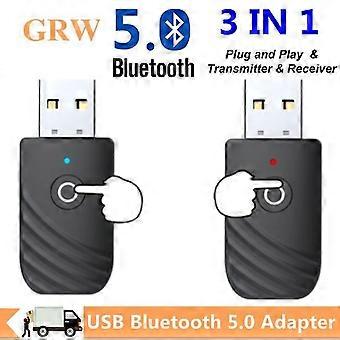
Bluetooth Transceiver Version 5.0 10-Meter Transmission 3.5mm/RCA Interface TV/PC/Car Audio Adaptation
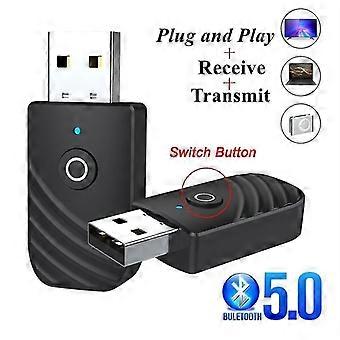
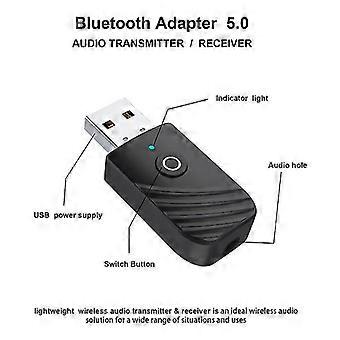
1. Grwibeou Usb Bluetooth 5.0 Transmitter Receiver Stereo Bluetooth Rca 3.5Mm Aux For TV Pc Headphone Home Stereo Car Hifi Audio Note: Bluetooth Function Can Also Be Implemented By Connecting The Device Directly To The Player's Usb Reading Port. When There Is No Sound After Successfully Connecting, Delete The Successfully Paired Device, Or There May Be A Bluetooth Device Conflict.
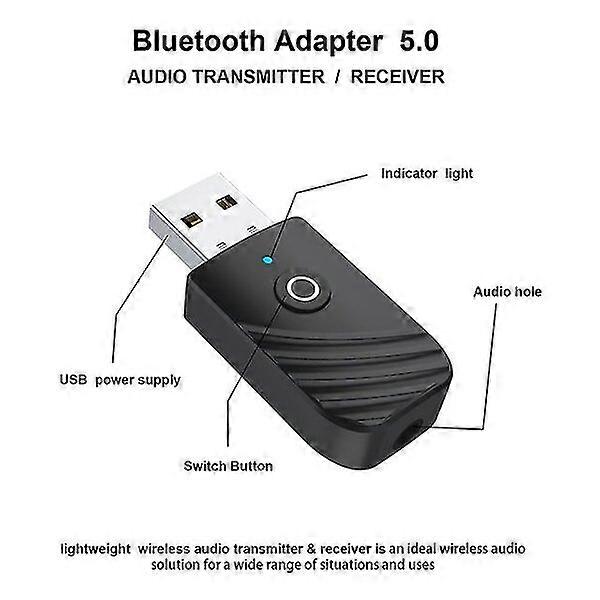
2. Specifications: Bluetooth Version: 5.0+Edr Operating Range: Up To 10 Meters/33 Feet (Unobstructed) Transmitter Mode: Red LED Light On Receiver Mode: Blue LED Light On Mode Switching: Click The Button
3. Pairing Steps: This Product Is Plug And Play, No Driver Required. And Does Not Support Stereo Audio
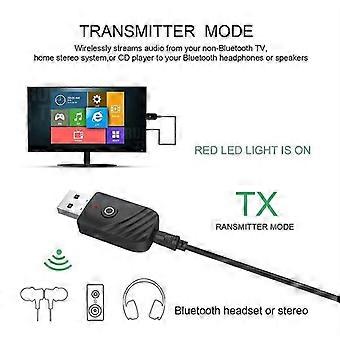
4. Tx Mode A: Turn On The Mode - Red Light 1. Connect the device to the USB port of the power source, switch to the transmission mode and the red light flashes, enter the automatic search for the Bluetooth device status (such as Bluetooth adapter, Bluetooth headset, Bluetooth speaker), etc.; 2. Insert one end of the 3.5mm audio cable into the Aux interface of the adapter, and the other end into the audio output port or RCA audio signal output of the TV, projector, tablet, MP3, CD player, etc. TV port (output); 3. Turn on the Bluetooth device and set it to the pairing state, the pairing will be successful, and the red light is always on. Note: The computer is connected and started, no disk, no connection (only audio can not transmit data). If there is no sound, set the sound to the sound board output in the sound settings. The search connection time for different Bluetooth devices (such as Bluetooth headphones) is slightly different due to the differences in the schemes and protocols used, which is normal. If pairing fails or fails to connect for a long time, you can turn off all devices and restart them to pair again.
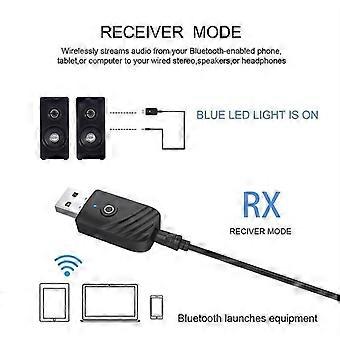
5. B: Receiving Mode - Blue Light 1. Connect the device to the USB port of the power source, switch to receiving mode, the blue light flashes, and enter the wireless receiving state (when the computer supplies power, first connect the cable to the product, and then the product to the computer); 2. Insert one end of the 3.5mm audio cable into the Aux interface of the adapter, and the other end into the audio input interface of the playback device (such as headphones, speakers, cars, etc.) or connect the 3.5mm audio cable. The cable of other playback devices into the audio port of this device. 3. Turn on the Bluetooth function of the mobile phone or tablet, automatically search for Bluetooth devices, select "RT-09" in the Bluetooth list and click to pair, the blue light will always be on when the pairing is successful.
6. Packing Accessories: 1* 5.0 Bluetooth Receiver Transmitter 1* Aux Audio Cable 1* Chinese and English Manual
-
Fruugo ID:
460333745-968836928
-
EAN:
6906388821449