説明
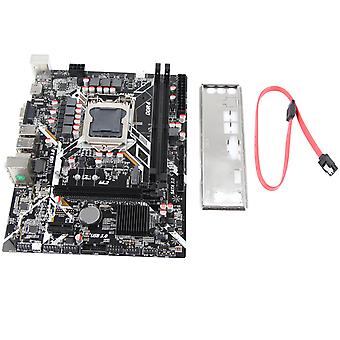
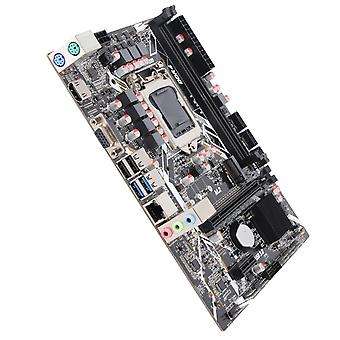
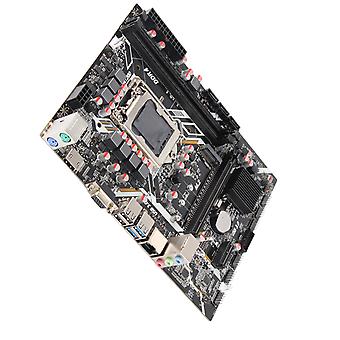
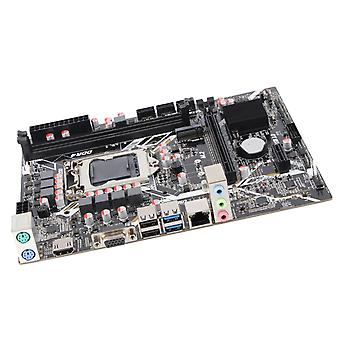
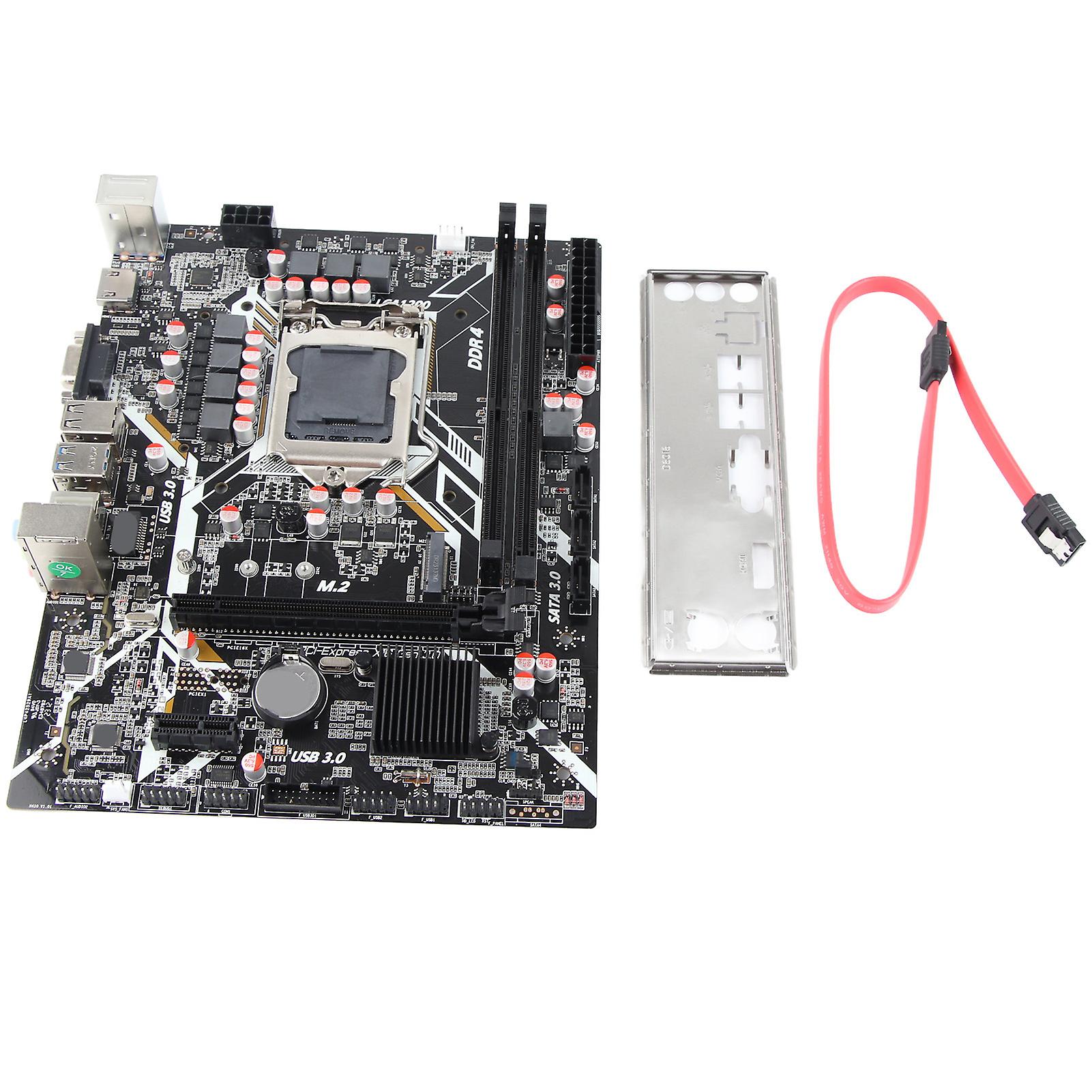
H410 Motherboard Dual Channel DDR4 NVME M.2 Interface PCIE 16X Gen 3.0 Slot Support LGA 1200 ATX Motherboard
Features
1、LGA 1200 SUPPORT: H410 desktop motherboard with LGA 1200 support (support for Intel core 10th generation series for Core i3, i5, i7 processors). 2、64GB SUPPORT: Dual channel DDR4 DIMM with up to 64GB support, PCIE 16X Gen 3.0 slot, PCIE 3.0 X1 expansion slot x1, HD multimedia interface, VGA video interface, Gigabit Ethernet and 5.1 HD audio. 3、32GB/S: With NVME M.2 interface, full speed M.2 hard drive interface, M.2 supports 32GB/s data transfer speed. 4、POWER SUPPLY STABILITY: ATX motherboard power supply is stable and precise, evenly distributed, and the thermal load of various power supply chipsets improves CPU performance, multi phase power supply, more stable and durable. 5、PCB MATERIAL: Computer motherboards using PCB material, long time use does not deform, thus ensuring long term stability.
Specification
Item Type: DDR4 Motherboard
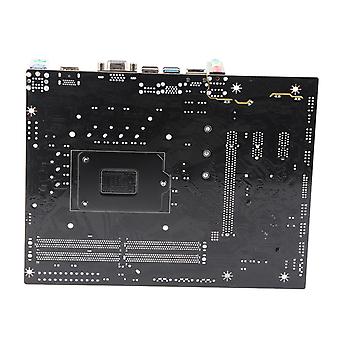
Material: PCB
Model: H410
Chipset: For Intel H410
Motherboard Architecture: ATX
Motherboard Size: Approx. 225 x 175mm / 8.9 x 6.9in
CPU Slot Type: Support for LGA 1200 (Support for Intel for core 10th Generation Series for Core i3, i5, i7)
Network Card: 1000Mbit Network Card Chip
Graphics Card Slot: 1xPCIE 16X Gen 3.0
Support Memory Type: 2xDDR4 DIMM
Memory Support: 2133/ 2400/2666MHz
Maximum Memory Capacity: 64GB
Hard Drive Interface: SATA3.0x3, M.2 Interface x1
USB Interface: USB3.0x2, USB2.0x2, Front USB2.0 pinsx2, Front USB3.0 pinsx1
Mouse Keyboard: for PS/2 Mouse Key Interface
Expansion Interface: HD Multimedia Interfacex1, VGAx1, PCIE 1X Expansion Slotx1
Power Supply: 24pin 8pin Seven Phase Power Supply
Battery Type: CR2032 Button Cell (Ship with Inbuilt Battery)
Battery Capacity: 240mAh
Fix the motherboard in the main case, and then connect the connectors according to the corre sponding marks.
No power on problem: When the device won't power on and the power indicator doesn't light up, make sure the power supply is connected and working properly. If your CPU fan is installed correctly, you can also determine whether the power supply is working properly by judging whether the fan can work properly.
1. Confirm the power supply of the power adapter a. Please check the connection of the power cord and whether the socket is plugged in as shown in the figure below. If there is a main power switch on the extension cord, please make sure it is on state. b. Replacing the extension cord and socket will help solve the problem.
Verify that the motherboard power supply is properly connected: 1. Make sure the power adapter's power cord is properly plugged into the ATX power connector. The motherboard may contain 24pin EATXPWR and 8pin EATX12V, make sure that both 8pinEATX12V and 24pin EATXPWR are connected to the power adapter. The location and number of power connectors may vary by model, some motherboards may contain 24pin EATXPWR and 4pin EATX12V, both connectors should be linked to the power adapter
Does not power on: When the fan and Q LED indicator/Q CODE do not respond when the power button is pressed to start the computer, please follow the instructions below to troubleshoot the problem
1. Follow the troubleshooting steps above to confirm that the power adapter is properly plugged into the ATX power connector for the motherboard's power supply
2. Keep the CPU, CPU cooler fan and a separate RAM display on the motherboard. Remove all USB devices and external cards from the motherboard, including mice, keyboards, card readers, flash drives, external hard drives and external PCIE cards, etc. Remove all cables from the motherboard, including network cables, audio cables and display cables (HD Multimedia Interface/VGA/DVI/DP). Then try to turn on the computer, if it turns on properly maybe the problem comes from the external devices removed. Reconnect the external devices one by one until you determine which external device or cable is causing the problem
3. Try to clear the CMOS
Package List
1 x DDR4 Motherboard (Ship with Inbuilt Battery)
1 x Bezel
1 x SATA Cable
-
Fruugo ID:
372246176-806224789
-
EAN:
9141500350033
製品安全情報
以下に概説するこの製品に固有の製品安全性情報を参照してください。
以下の情報は、この製品を販売する独立したサードパーティ小売業者によって提供されています。
製品安全ラベル

安全上の警告:
Please do not allow your child to handle this product alone to avoid swallowing or other injuries; adult supervision is recommended.