説明
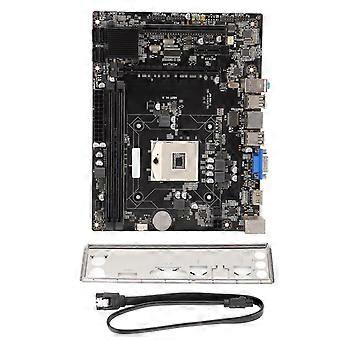
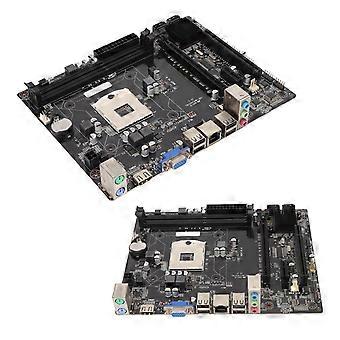
HM55A 221x170mm DDR3 8GB Dual Channel Gaming Motherboard
Motherboard 1288 Pin DDR3 Dual Channel VGA Interface HD Multimedia Interface Gaming Motherboard for Intel Pentium I3/i5/i7
Item Type:Motherboard
Material: PCB
Model: HM55A
Motherboard Architecture: M ATX
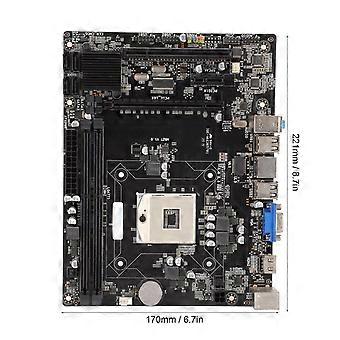
Size: Approx. 221 x 170mm / 8.7 x 6.7in
CPU Socket Type: Support for Intel Pentium i3/ i5/i7 Series
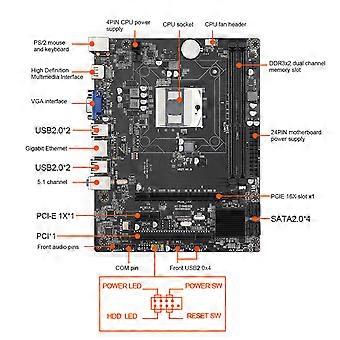
Net Card: RTL8111F Gigabit Net Card
Graphics Card Slot: PCIE 16Xx1
Supported Memory Type: DDR3x2
SATA Interface: SATAx4
USB Interface: USB3.0x4+Front USB2.0 Pinx2
PS/2 Interface: PS/2 Mouse and Keyboard Interface
Sound Card: ALC662 5.1 Channel
Maximum Memory Capacity: 8GB
Power Interface: 24pinx1, 4pinx1
Expansion Interface: VGAx1, High Definition Multimedia Interfacex1, PCIE 1Xx1, PCIx1
Battery Type: CR2032 Button Battery (Ship with Inbuilt Battery)
Battery Capacity: 240mAh
Applicable: Desktop
The motherboard is fixed in the host case, and then connected in accordance with the corresponding marked connectors.
Non power on problem:
When the device does not power on and the power indicator does not light up, make sure the power supply is connected and working properly. If your CPU fan is installed correctly, you can also determine whether the power supply is working properly by judging whether the fan can work properly
1. Confirm the power supply of the power adapter
a. Please check the connection of the power cord and whether the socket is plugged in as shown below. If there is a main power switch on the extension cord, please make sure it is on state.
b. Replacing the extension cord and socket will help solve the problem.
Verify that the motherboard power supply is properly connected.
1. Make sure the power adapter's power cord is properly plugged into the ATX power connector. The motherboard may contain 24 pin EATXPWR and 8 pin EATX12V, make sure that both 8 pin EATX12V and 24 pin EATXPWR are connected to the power adapter. The location and number of power connectors may vary by model, some motherboards may contain 24 pin EATXPWR and 4 pin EATX12V, both connectors should be linked to the power adapter
Non booting:
When the fan and Q LED indicator/Q-CODE do not respond when the power button is pressed to start the computer, please follow the instructions below to troubleshoot the problem
1. Follow the troubleshooting steps above to confirm that the power adapter is properly plugged into the ATX power connector for the motherboard's power supply
2. Keep the CPU, CPU cooler fan and a separate RAM display on the motherboard. Remove all USB devices and external cards from the motherboard, including mice, keyboards, card readers, flash drives, external hard drives and external PCIE cards, etc. Remove all cables from the motherboard, including net cables, audio cables and display cables (High Definition Multimedia Interface/VGA/DVI/DP). Then try to turn on the computer, if it turns on properly maybe the problem comes from the removed external devices. Reconnect the external devices one by one until you determine which external device or cable is causing the problem.
3. try to clear CMOS
-
ブランド:
Unbranded
-
カテゴリー:
RAM
-
Fruugo ID:
412676503-872493775
-
EAN:
8481336532014