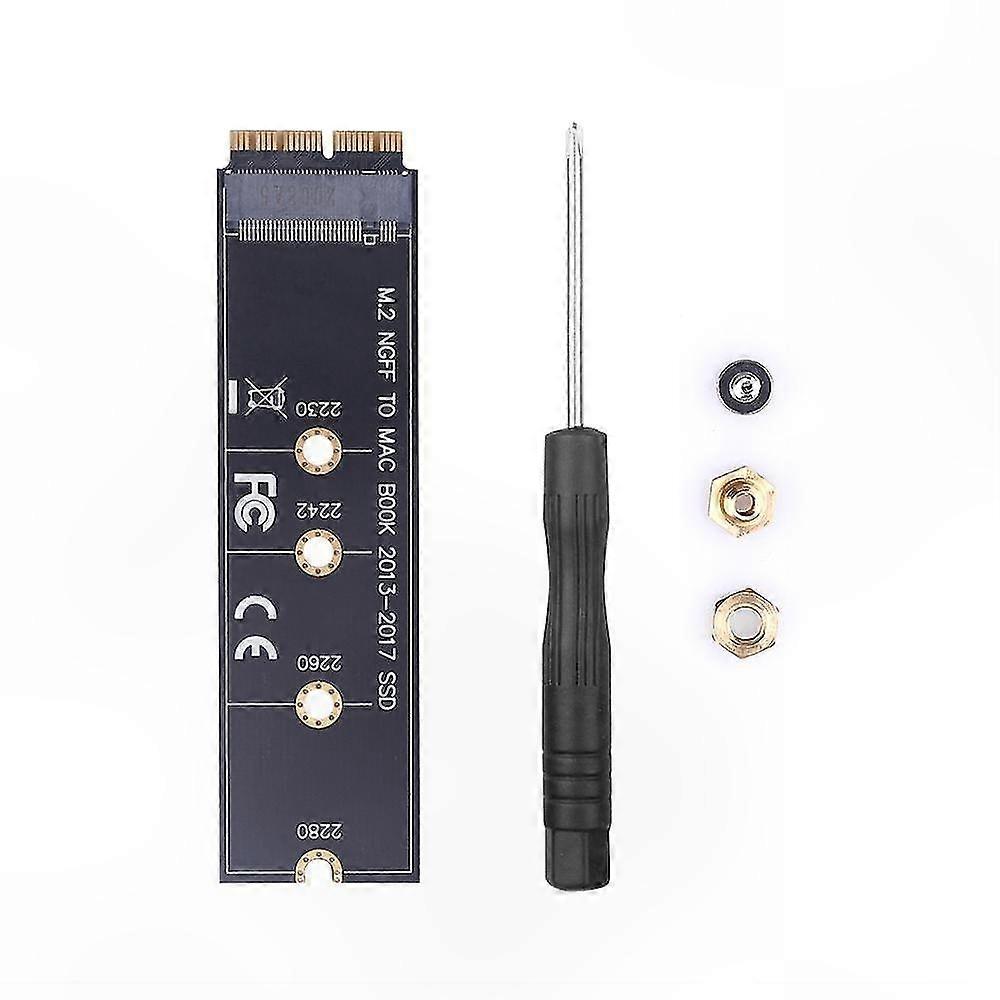
NVMe SSD Adapter for MacBook Air Pro 2013-2017, Compatible with A1465 A1466 A1398 A1502 Models

¥1,149
+ 配送料¥2,749

NVMe SSD Adapter for MacBook Air Pro 2013-2017, Compatible with A1465 A1466 A1398 A1502 Models

  • ブランド: Unbranded

NVMe SSD Adapter for MacBook Air Pro 2013-2017, Compatible with A1465 A1466 A1398 A1502 Models

  • ブランド: Unbranded
希望小売価格: ¥2,599
価格: ¥1,149
得する金額: ¥1,450 (55%)
販売元:
¥1,149
+ 配送料¥2,749

在庫あり

14日間返品ポリシー

以下の支払い方法を利用することができます

説明

NVMe SSD Adapter for MacBook Air Pro 2013-2017, Compatible with A1465 A1466 A1398 A1502 Models

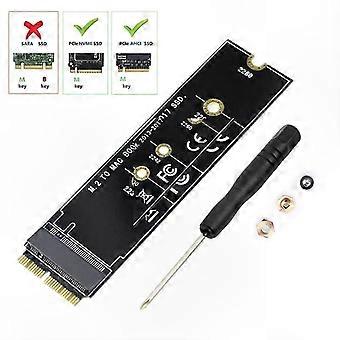
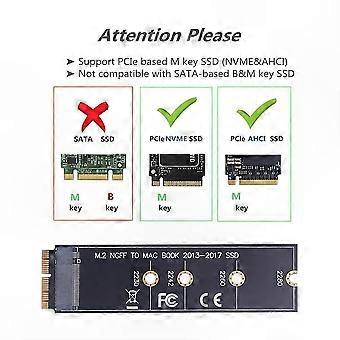
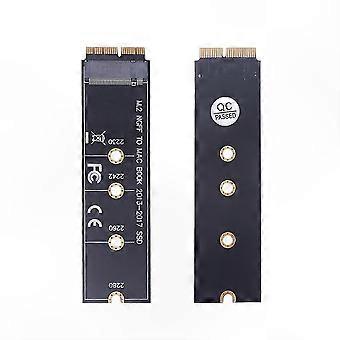
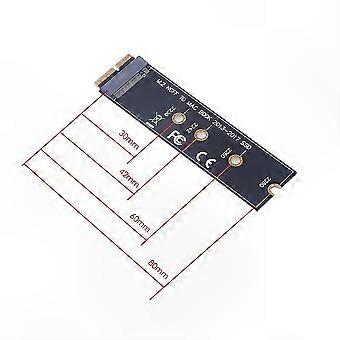
Features: This M.2 PCIe NVMe SSD adapter allows upgrading the SSD in MacBook models from 2013 to 2015 with a high-capacity NVMe SSD. It is compatible with MacBook Air 11” A1465 and MacBook Air 13” A1466 (Mid 2013–2017), MacBook Pro (Retina) 13" A1502 and 15" A1398 (Late 2013–Mid 2015), and Mac Pro ME253 and MD878. Requires macOS 10.13 High Sierra or later; not compatible with versions earlier than macOS 10.13. Users must update their macOS on the original SSD before installation. Supports M.2 NVMe/AHCI SSDs such as 960 EVO, 970 EVO/PRO (does not support 960 EVO Plus), WD Black, Crucial P1, HP EX920, ADATA SX8200, Intel 600p series NVMe SSD, and similar models. Does not support internet recovery; a bootable USB drive must be prepared (the M.2 PCIe drive does not contain an OS and must be erased before use). How to use: 1. Install High Sierra on the original drive to ensure the firmware supports NVMe. 2. Perform a complete backup of the original drive using Time Machine. 3. Create a High Sierra installer on a bootable USB drive. 4. Open the MacBook, disconnect the battery, replace the drive, and ensure the adapter and new SSD are securely seated. 5. Reconnect the battery before closing the case. 6. Insert the USB installer and press the Option key during startup. 7. After booting, use Disk Utility to format the M.2 SSD and install macOS. Notice: 1. macOS may fail to resume from hibernation with certain NVMe SSD brands; users should power down completely instead of closing the lid. 2. Fully insert the adapter into the SSD slot and use a bootable USB drive with High Sierra to format the M.2 SSD; internet recovery is not supported. 3. Many users have successfully used this adapter; if the NVMe SSD is not detected, try reseating the components and repeat the setup process. Package includes: 1 x Adapter Card 1 x Screw Set & Driver
  • Fruugo ID: 409232720-866742628
  • EAN: 1101063544452

製品安全情報

以下に概説するこの製品に固有の製品安全性情報を参照してください。

以下の情報は、この製品を販売する独立したサードパーティ小売業者によって提供されています。

安全上の警告: Please use according to the instructions or product details!

配送と返品

24時間以内に発送

  • STANDARD: ¥2,749 - 間の配達 月 29 12月 2025–火 06 1月 2026

中国より発送。

ご注文の商品は、お客様の仕様に従い、万全の状態で配送されるように最善を尽くしています。しかし、もし注文に抜けがあったり、注文したものと違う商品が届いたり、注文に満足できないその他の理由がある場合は、注文全体やその中のいずれかの商品を返品し、その全額の返金を受けることができます。 全額返金ポリシーを見る

製品コンプライアンスの詳細

以下に概説されているこの製品に固有のコンプライアンス情報を参照してください。

以下の情報は、この製品を販売する独立したサードパーティ小売業者によって提供されています。

製造業者:
次の情報は、Fruugoで販売される関連製品の製造業者の連絡先詳細です。

  • Qiu Jiateng
  • Wuhan Lili Xing Trading Co., Ltd
  • 9 Jian She 2nd Road, Building 6, Unit, Floor 7, No. 11 Yu Jiang Yi Pin · Qing Shan Yin, Qingshan District, Hubei
  • Wuhan
  • CN
  • 430080
  • jing4808880meif@163.com
  • 15625617190

EUにおける責任者:
次の情報は、EUにおける責任者の連絡先情報の概要です。ここで言う責任者とはEUに拠点を置く指定経済事業者で、EU域内で販売される関連製品に関するコンプライアンス義務を負う者のことです。

  • Van Lavazza
  • Y & H S.R.L.
  • Via Gravina 21 MT matera,Trani,Puglia
  • Trani
  • Italy
  • 75100
  • itlyhsrl@gmail.com
  • 0039 3917722149