説明
Prettyui 4K USB Type-C Hub To Dual Docking Station HDMI USB 3.0 PD Charge Port USB-C Docking Station Adapter Support Dual-Screen Display
USB Type C Hub to Dual 4K HD H DMI USB 3.0 PD Charge Port USB-C Docking Station Adapter Support Dual-Screen Display for M acBo ok
Product Description:
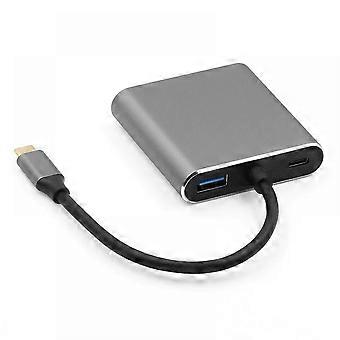
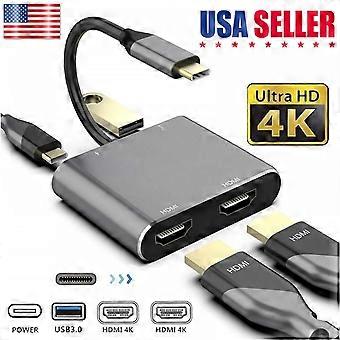
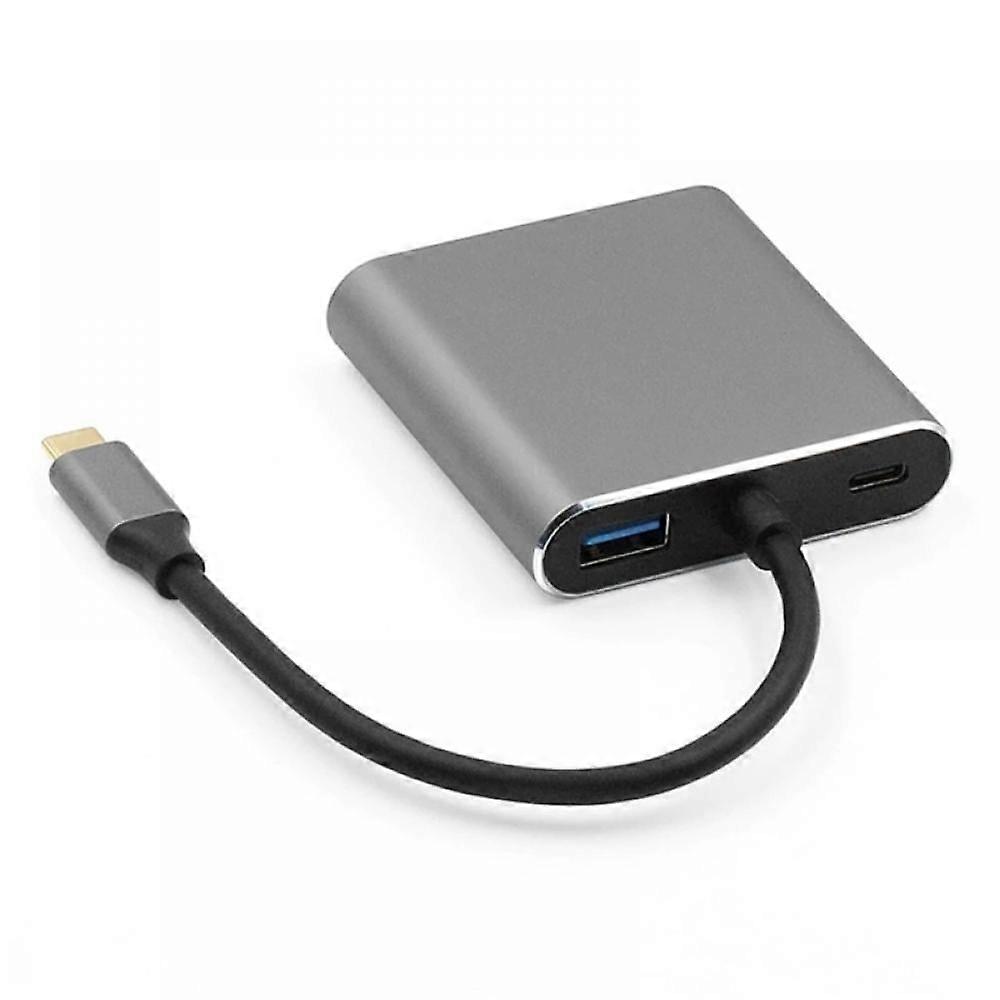
The 4-in-1 USB C to Dual HD MI Adapter connects devices with USB-C interface ports to two HDM I ports, USB 3.0 port and PD port. The four ports can work simultaneously. Designed for devices equipped with Type-C ports or Thunderbolt 3 ports and supporting video and audio output modes.
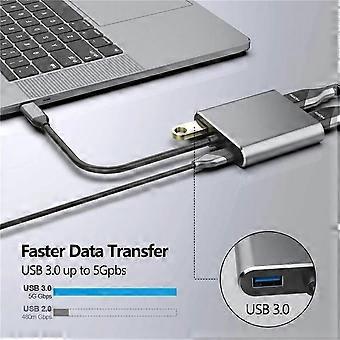
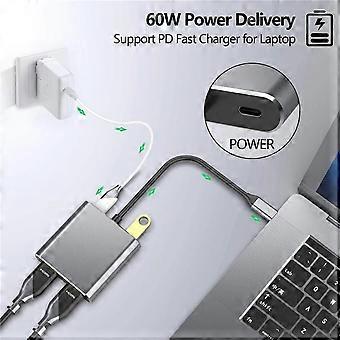
The high-speed USB 3.0 transfer rate is up to 5 Gbps, suitable for USB flash drives, mice, keyboards and other USB A 2.0 / USB A 3.0 devices. It is easy to transfer high-definition movies in a short time. At the same time, the Type-C PD port charge can quickly output up to 60W of power to avoid running out of power during use.
M ac OS support:
1: Mirror mode.
2: Extended mode (due to the limitations of MA C OS itself, in extended mode, the images on the two external screens will be the same).
Android support.
1: Mirror mode
Win dows support.
1: Mirror mode
2: Extended mode (the images on the two external screens can be the same or different).
Frequently asked questions
How to switch the M ac device to extended mode?
"Settings" → "Display" → Click the "Mirror display" box to switch to extended mode → Then, you can drag the website/movie window to the far right of the desktop screen until it disappears on the desktop screen and appears on the External monitor screen.
How to connect to the extended mode of W indows?
Right-click on the desktop → select display settings → p op up the settings screen to select display → select multi-screen display → expand the desktop (if display 3 is not displayed, please manually select the display → click apply to confirm the setting can be confirmed).
What if one of the displays does not display?
Right-click on the desktop> Graphics Settings> Select one or more active displays.
1. Maximum 4K @ 60Hz output-when only one port is used, the maximum resolution is 3840x2160 @ 60Hz. To ensure 4K/60Hz performance, please make sure to use HDM I 2.0/DP 1.2 cable (or better), it also depends on the definition of the monitor. Support HDCP 2.2. Supports mirroring and extension modes of M acOS, WinOS and ChromeOS
2. Video and audio-transmit high-quality video and audio for presentations, meetings, workshops, training or games. You must confirm that your host device supports video output or DP Alt Mode. You may need to change the "Default Audio Output Device" setting in System Preferences to transmit sound
3. Humanized design-non-slip connector, easy to plug and unplug. Reinforced braided nylon cable, durable. The precise USB-C plug can be tightly inserted into your device for better signal transmission. Integrated aluminum alloy shell, better heat dissipation effect
4. Wide compatibility-2019/2018/2017/2016 new M acB ook Pro 13/15/16, new M ac Book Air, Ma cBook 12, new i P ad Pro 11/12.9, new iMa c/Pro, De ll XPS, Surface Book 2/Go, Sam sung Galaxy S8 / S9 / S10 / Plus / Note 8/9/10, Pixelbook, Chromebook, Intel NUC, HP, compatible with Acer, compatible with Lenovo and other products with USB-C DP ALT mode.
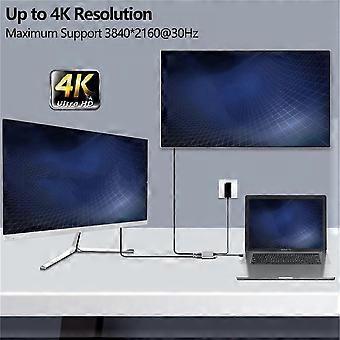
5. Dual 4K displays-enables full-featured Wind owsOS devices to display two split screens through an HD MI and an extended DisplayPort display (TV, projector, etc.), with a resolution of up to 3840x2160p @ 30Hz. (Important note: On M ac devices, due to the limitations of Ma cOS, these two monitors display the same screen (mirror screen))
The 4-in-1 USB C to Dual HD MI Adapter connects devices with USB-C interface ports to two HDM I ports, USB 3.0 port and PD port. The four ports can work simultaneously. Designed for devices equipped with Type-C ports or Thunderbolt 3 ports and supporting video and audio output modes.
The high-speed USB 3.0 transfer rate is up to 5 Gbps, suitable for USB flash drives, mice, keyboards and other USB A 2.0 / USB A 3.0 devices. It is easy to transfer high-definition movies in a short time. At the same time, the Type-C PD port charge can quickly output up to 60W of power to avoid running out of power during use.
Humanized design-non-slip connector, easy to plug and unplug.
Video and audio-transmit high-quality video and audio for presentations, meetings, workshops, training or games.
Support HDCP 2.2. Supports mirroring and extension modes of M acOS, WinOS and ChromeOS
-
Fruugo ID:
450262028-948642865
-
EAN:
9020372313905