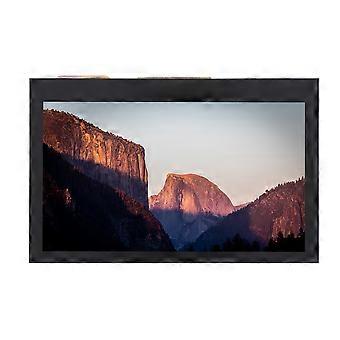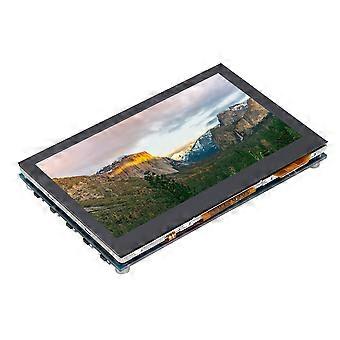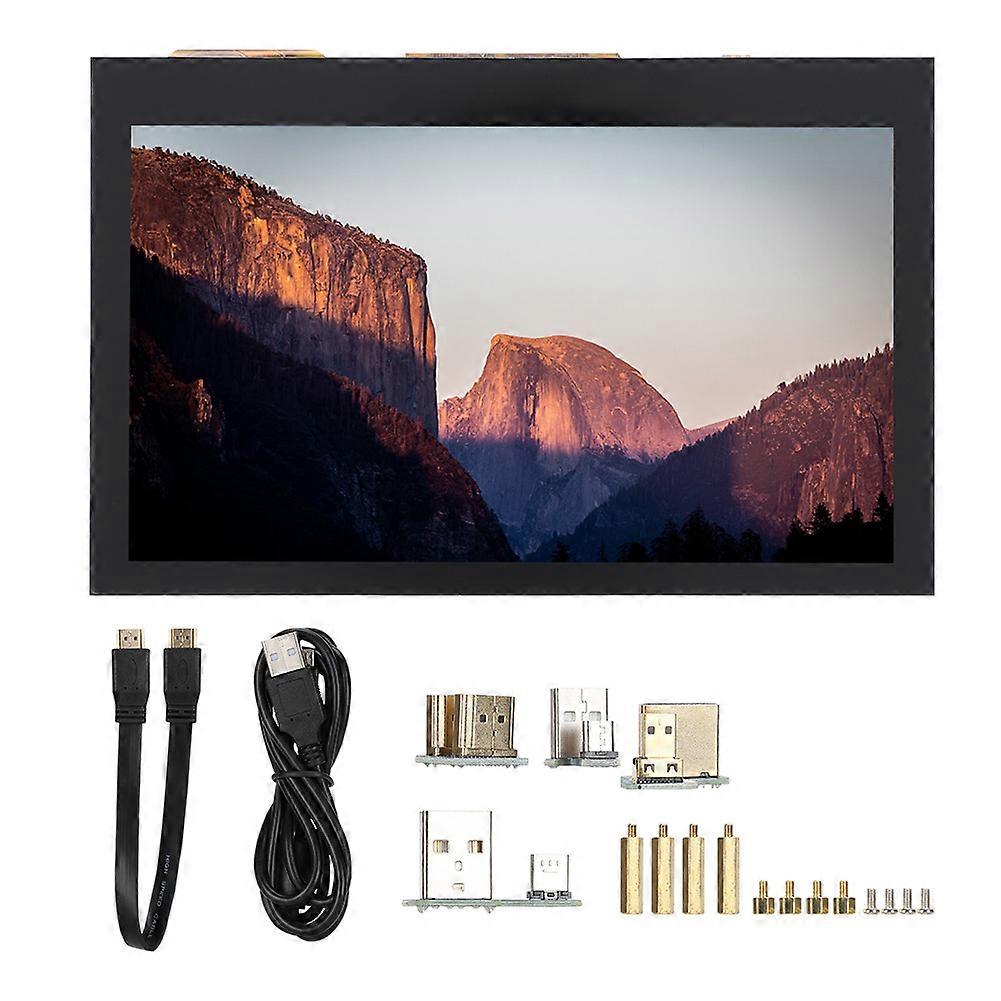
Universal for Raspberry Pi 4.3inch 800x480 LCD Capacitive for 3B+2B+4B IPS Touch Screen

¥12,590
配送料無料

Universal for Raspberry Pi 4.3inch 800x480 LCD Capacitive for 3B+2B+4B IPS Touch Screen

  • ブランド: Unbranded

Universal for Raspberry Pi 4.3inch 800x480 LCD Capacitive for 3B+2B+4B IPS Touch Screen

  • ブランド: Unbranded
希望小売価格: ¥20,090
価格: ¥12,590
得する金額: ¥7,500 (37%)
販売元:
¥12,590
配送料無料

在庫あり

以下の支払い方法を利用することができます

説明

Universal for Raspberry Pi 4.3inch 800x480 LCD Capacitive for 3B+2B+4B IPS Touch Screen

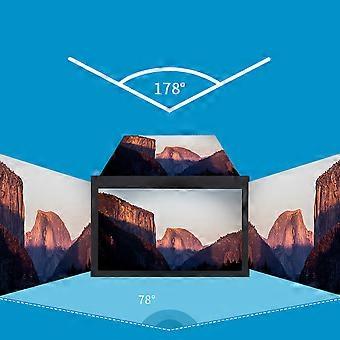
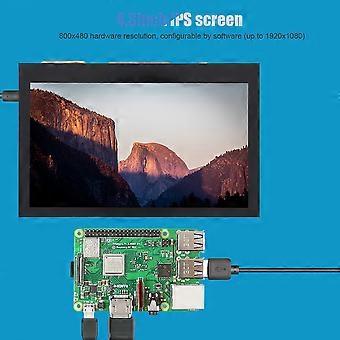
1、3inch IPS screen, 800x480 hardware resolution, configurable by software (up to 1920x1080). 2、Supports popular mini PCs such as for Raspberry Pi/BB Black/Banana Pi. 3、When works with for Raspberry Pi, it supports for Raspbian/Ubuntu/Kali/Retropie/WIN10 IOT, driver free. 4、When works as a computer monitor, it supports for Windows 10/8.1/8/7, five-points touch, and driver free. 5、Support Multiple languages OSD menu (for power management, brightness/contrast adjustment, etc.). Features: 1. 4.3inch IPS screen, 800x480 hardware resolution, configurable by software (up to 1920x1080). 2. Supports popular mini PCs such as for Raspberry Pi/BB Black/Banana Pi. 3. When works with for Raspberry Pi, it supports for Raspbian/Ubuntu/Kali/Retropie/WIN10 IOT, driver free. 4. When works as a computer monitor, it supports for Windows 10/ 8.1/8/7, five-points touch, and driver free. 5. Support Multiple languages OSD menu (for power management, brightness/contrast adjustment, etc.). 6. Equipped with a 5mm audio jack, speaker connector, support HDMI audio output. Specification: Item Type: Touch Screen Resolution: 800x480, with capacitive touch panel Size: Approx. 10.7x 6.9x 1.5cm/ 4.2x 2.7x 0.6in Package List: 1 x 4.3inch HDMI LCD Screen 1 x HDMI Connecting Line 1 x USB Type A Male to Micro Male Cable 4 x Adapters 1 x Pillars Pack Note: Due to the limitations of the game console system, the touch function is not available. Sound support means that the host can normally output sound through the built-in speaker, external speaker interface or headphone interface of LCD module. Usage: 1) Download the compressed file to PC and extract it to get the .img file. 2) Connect TF card to PC and use for SDFormatter.exe to format the TF card. 3) Open for Win32DiskImager.exe, select the system image prepared in step 1, and click "write" to burn the system image. 4) After burning, open the config.txt file in TF kagan directory, and add the following code at the end of config.txt, then save and safely pop-up the TF card. Insert the TF card into for Raspberry Pi. max_usb_current=1 hdmi_force_hotplug=1 hdmi_group=2 hdmi_mode=87 hdmi_cvt 800 480 60 6 0 0 0 5) Connect the Touch interface of LCD to the USB interface of for Raspberry Pi. 6) Connect the HDMI interface of LCD to the HDMI interface of for Raspberry Pi, then power on the for Raspberry Pi, and wait for a few seconds to display normally.
  • Fruugo ID: 361829859-786371901
  • EAN: 9064571644156

製品安全情報

以下に概説するこの製品に固有の製品安全性情報を参照してください。

以下の情報は、この製品を販売する独立したサードパーティ小売業者によって提供されています。

製品安全ラベル

CE Mark
安全上の警告: Warning to keep away from water to prevent electric shocks.

配送と返品

3日間以内に発送

  • STANDARD: 無料 - 間の配達 水 17 12月 2025–金 19 12月 2025 - 無料

中国より発送。

ご注文の商品は、お客様の仕様に従い、万全の状態で配送されるように最善を尽くしています。しかし、もし注文に抜けがあったり、注文したものと違う商品が届いたり、注文に満足できないその他の理由がある場合は、注文全体やその中のいずれかの商品を返品し、その全額の返金を受けることができます。 全額返金ポリシーを見る

製品コンプライアンスの詳細

以下に概説されているこの製品に固有のコンプライアンス情報を参照してください。

以下の情報は、この製品を販売する独立したサードパーティ小売業者によって提供されています。

製造業者:
次の情報は、Fruugoで販売される関連製品の製造業者の連絡先詳細です。

  • Chen ShaoMao
  • Lixian Maisite Trading Co., Ltd.
  • Group 8
  • Wugong Village
  • Xiaodukou Town
  • Lixian County
  • CN
  • 415500
  • zhuyihaozyh@outlook.com
  • 13192770024

EUにおける責任者:
次の情報は、EUにおける責任者の連絡先情報の概要です。ここで言う責任者とはEUに拠点を置く指定経済事業者で、EU域内で販売される関連製品に関するコンプライアンス義務を負う者のことです。

  • e Vatmaster Consulting GmbH
  • e Vatmaster Consulting GmbH
  • RaiffeisenstraBe 2 B11
  • Rodgau
  • DE
  • 63110
  • contact@evatmaster.com
  • 49 61062699873