Smart Network Wall Clock, Size: 14 inch

¥14,990
配送料無料

Smart Network Wall Clock, Size: 14 inch
  • ブランド: Unbranded
販売元:

Smart Network Wall Clock, Size: 14 inch
  • ブランド: Unbranded

¥14,990

在庫あり
配送料無料

14日間返品ポリシー

販売元:

¥14,990

在庫あり
配送料無料

14日間返品ポリシー

支払い方法:

説明

Smart Network Wall Clock, Size: 14 inch
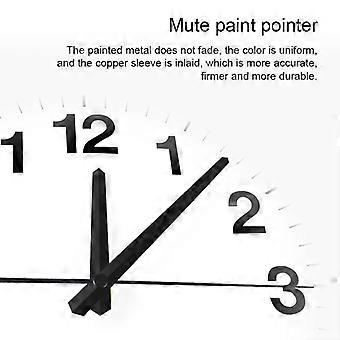
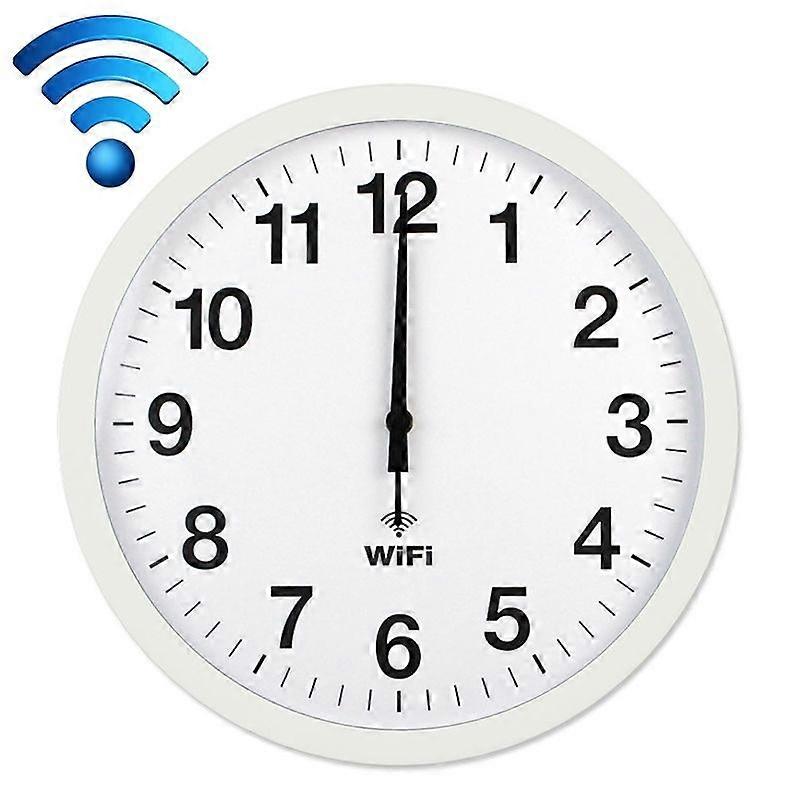
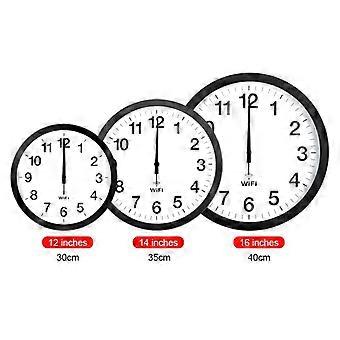
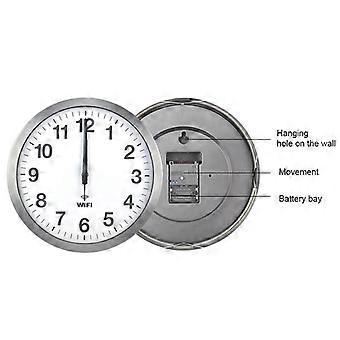
Details: 1. Material: metal shell, PVC mirror, ABS back shell, aluminum pointer 2. Dimensions: 12 inches 30x30x4.1 cm, 14 inches 35x35x4.1 cm, 16 inches 40x40x4.5 cm 3. Weight: 12 inches 1300 grams, 14 inches 1600 grams, 16 inches 2200 grams 4. Power supply: 2 AA alkaline batteries (need to purchase by yourself) 5. Applicable scenarios: living room, bedroom, study room, office, etc. 6. Features: beautiful and practical, painted pointer, not easy to fade, uniform color, copper sleeve inlay, accurate and firm, strong and durable, metal shell, aluminum alloy wire drawing process, exquisite workmanship, strong metal texture, WIFI automatic time synchronization, 0 am- The 6 o'clock second hand stops automatically to save power Instructions: 1. When using for the first time, first turn on the mobile wifi and unplug the white positioning pin on the back of the clock 2. Click on the phone "Settings"-"Connections"-"WLAN" 3. Install the battery, after about 5 seconds, "wificlock" will appear in the "WLAN list" for 30 seconds 4. If "wifi-clock" fails to appear, you can press the "MSET" button on the back of the clock (press and hold for about 5 seconds, repeat it several times) 5. Click wifi-clock 6. Follow the prompts to set up wifi 7. If you cannot set wifi, you can click "wifi-clock", then click "manage router", or open "192.168.4.1" with your mobile browser, and then set wifi 8. After setting, the three pointers quickly return to zero, and then automatically go to the correct time 9. After the wifi is set, if you reinstall the battery without resetting the wifi, the pointer will automatically go to the correct time 10. If the time is not correct, you can press and hold REC to make the pointer return to zero quickly and then re-align the time, or reinstall the battery 11. Press and hold MSET, you can reset wifi, automatic time and time zone
  • Fruugo ID: 463160801-974687644

製品安全情報

以下に概説するこの製品に固有の製品安全性情報を参照してください。

以下の情報は、この製品を販売する独立したサードパーティ小売業者によって提供されています。

製品安全ラベル

CE Mark
安全上の警告: Check the product before use to ensure safe usage;, keep away from fire, clean thoroughly after contact with liquids to avoid corrosion or rust.
メーカー型番: 1920-X
モデル番号: TBD0532941202A
シリアルナンバー: 1292329323
バッチ番号: TTX-1

配達

24時間以内に発送

  • EXPRESS: 無料 - 間の配達 水 15 7月 2026–木 16 7月 2026 - 無料

中国より発送。

返品

ご注文の商品は、お客様の仕様に従い、万全の状態で配送されるように最善を尽くしています。しかし、もし注文に抜けがあったり、注文したものと違う商品が届いたり、注文に満足できないその他の理由がある場合は、注文全体やその中のいずれかの商品を返品し、その全額の返金を受けることができます。

全額返金ポリシーを見る

製品コンプライアンスの詳細

以下に概説されているこの製品に固有のコンプライアンス情報を参照してください。

以下の情報は、この製品を販売する独立したサードパーティ小売業者によって提供されています。

製造業者:
次の情報は、Fruugoで販売される関連製品の製造業者の連絡先詳細です。

  • PULUZ
  • Shenzhen PULUZ Technology Limited
  • 8/F, No.614 Building, Bagua 1st Road
  • Futian District, Shenzhen, guangdong
  • China
  • Shenzhen
  • CN
  • 518029
  • [email protected]
  • +86 755 83035355
  • https://www.puluz.com/

EUにおける責任者:
次の情報は、EUにおける責任者の連絡先情報の概要です。ここで言う責任者とはEUに拠点を置く指定経済事業者で、EU域内で販売される関連製品に関するコンプライアンス義務を負う者のことです。

  • Yating He
  • E-CrossStu GmbH
  • Mainzer Landstr.69
  • Frankfurt am Main, Hessen,Deutschland
  • Germany
  • Frankfurt am Main
  • DE
  • 60329
  • [email protected]
  • +49 69332967674