説明
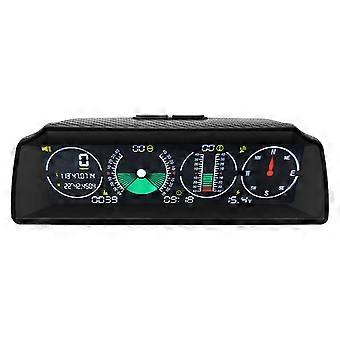
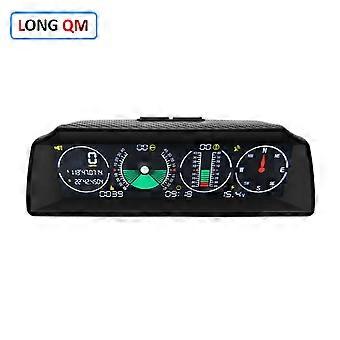
X90 Automotive Car Electronics Digital GPS Speedometer HUD Head Up Display Altitude Meter Compass MPH KM/H Inclinometer
Product Description:
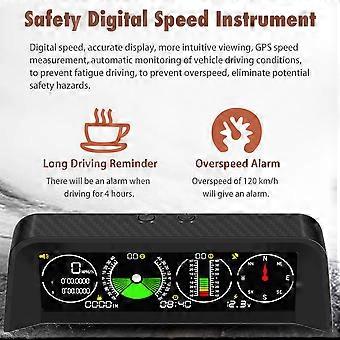
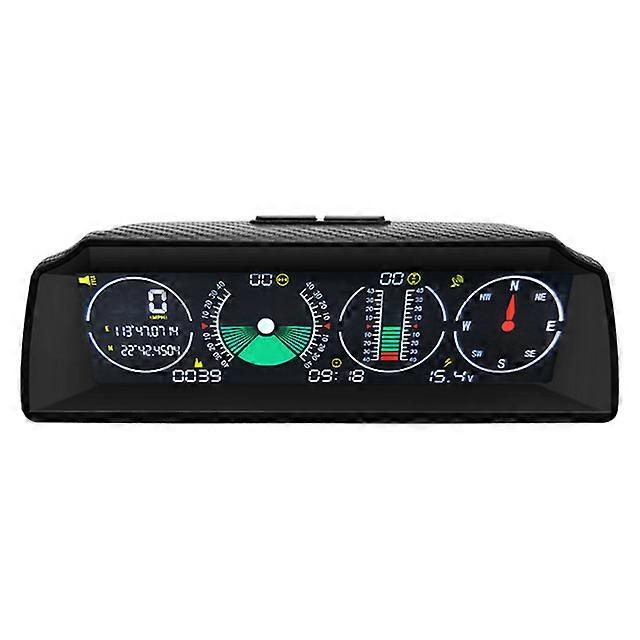
X90 is a smart GPS multi-functional horizontal speedometer for driving, fully supports high-precision monitoring of car speed,vehicle tilt angle, vehicle pitch angle changes, compass, time and car battery voltage status, to ensure your driving safety. Feature:
Applicable to Asian cars, American cars, European cars. Equipped with high-precision satellite GPS signal module. Automatically monitor vehicle driving conditions. Adjust the brightness of the screen by using the sensitivity of the light sensor. Free rotation, which is more sensitive. It adopts color HD LCD display with high resolution. Function:
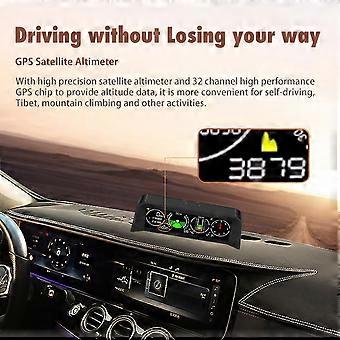
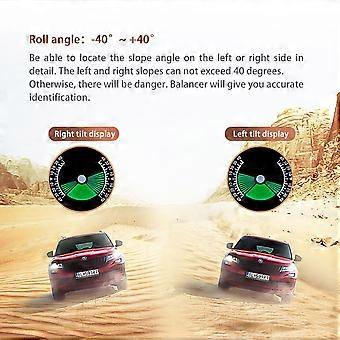
Precisely shows vehicle tilt angle with clear notification, when the angle is over 40°, alarm alerts. Precisely show vehicle pitch angle changes,when the angle is over 40°the alarm alerts to insure your safety. After connected to power supply, there will be backlight inside, which will help you see accurately in case of night or dark situation. Elevation error within 5- 100 meters. After the vehicle starts the speedometer starts automatically, after car parking the meter will be in sleep mode automatically. Over speed alarm. Fatigue driving alarm alerts after driving for 4 hours Specification:
Power: DC 10V~30V Depression&Elevation angle: -40 +40 Clock Error Value: 1 minute Voltage measurement accuracy: O.5V GPS Cold Boot Time: 32s (average) GPS Data Refresh Time: 1s Working Temperature: -40 ~ +80 Roll Angle:-40 +40 Voltage Measurement Range: DC5V~30V Speed Accuracy: 0.36Km/h GPS Hot Boot Time: 1s (average) Wireless Transmission Frequency:2.4GHz Product Size:170*68*60(mm) Instruction:
Park the car on a level surface, stick the adhesive on the product, adjust and fix it in the vehicle for easy horizontal view. Before driving, connect the power supply and wait to receive the satellite GPS signal until the data shows normal. Long and hold the setting button and click the start button to adjust the electronic clock. Press and hold the start button, and click the setting button to adjust the time of the X90. Package Included:
1*X90 HUD 1*Cigare lighter 1*Fixed pad 1*Instruction manual 1*Packing box How To Switch From Miles To Km? it supports both MPH/h and KM/h Press M , switch MPH/h inch and KM/h metric (Note: Altitude is in feet in MPH/h mode and meters in KM/h mode) (Explanation: MPH/h lights up to MPH/h Mode, MPH/h is off to indicate KM/h mode) How to adjust the time? In the state of power off, press the power button. After the screen lights up, press and hold the M button / power button 3-4 seconds immediately 1. Decrease time: Long press the M key will automatically enter the time adjustment interface. M key (left): adjust the hour hand, power button (on the right): adjust the second hand. 2. Add time: long press the power button. some country"'"s time is slower /faster than GPS time some hours You can adjust time according to the user manual
-
ブランド:
Unbranded
-
カテゴリー:
方位磁石
-
色:
X90
-
Fruugo ID:
200058778-425907821
-
EAN:
970907643047
製品安全情報
以下に概説するこの製品に固有の製品安全性情報を参照してください。
以下の情報は、この製品を販売する独立したサードパーティ小売業者によって提供されています。
製品安全ラベル

安全上の警告:
important Safety Instructions Read Before Use: Please read all instructions and safety warnings before using this product. Failure to follow these guidelines may result in injury, damage, or malfunction. General Warnings Intended Use: Use this product only for its intended purpose as described in the user manual. Supervision Required: This product is not intended for use by children or persons with reduced physical, sensory, or mental capabilities without supervision. Inspection Before Use: Check for any signs of damage or wear before use. Do not use if damaged. Usage Precautions Environment: Do not use in wet, damp, or flammable environments unless specified as safe for such conditions. Proper Operation: Follow all operating instructions carefully. Avoid improper handling or misuse. Power Source: Use only the recommended power supply or batteries. Do not exceed specified voltage or current ratings. Maintenance and Care Cleaning: Disconnect from power before cleaning. Use only manufacturer-recommended cleaning methods and solutions. Storage: Store in a cool, dry place away from direct sunlight and extreme temperatures. Repairs: Do not attempt to disassemble or repair the product. Contact authorized service personnel for assistance. Specific Warnings Avoid Hazards: Keep the product away from sharp objects, water, and heat sources. In Case of Malfunction: If the product malfunctions or exhibits unusual behavior, discontinue use immediately and contact customer support. Disposal Instructions Recycling: Dispose of the product in accordance with local electronic waste disposal and recycling guidelines. Battery Disposal: Follow specific regulations for the safe disposal of batteries if included.